Windows Terminal and WSL

How to get the most out of Windows Subsystem for Linux

The choice to use Windows for a development machine is one that is often met with confusion. “Why would you use Windows when macOS has a native terminal!?”, is a question I would hear with some frequency. Now, this would have been true prior to 2016, but with the introduction of the Windows Subsystem for Linux (WSL), this all changed.

Windows Subsystem for Linux

What is WSL? Well, that’s a little tricky to answer since there are now two implementations. For WSL v1, it’s simply a system-call translation layer that allows for running ELF binaries natively (i.e., without virtualization). This means that you can run Linux binaries at very close to native performance levels (but there’s still a penalty for the syscall translation).

Due to how Linux interoperability was implemented in WSL v1, there were some limitations. Namely, around networking. Further, it became more and more difficult to eek out performance by using a translation layer (read: more complexity). So, with the release of WSL v2, Microsoft adopted virtualization model using a tuned version of their Hyper-V virtualization subsystem.

In WSL v2, you get a more pristine LInux experience, and everything works as you would expect (including networking), and performance is generally very good. However, it’s worth noting that due to the virtualization, the “guest” operating system no longer has direct access to the host filesystem. The host filesystem is mounted as a “shared folder”, and uses the Plan 9 Filesystem Protocol. This results in some serious speed issues when traversing the virtualization boundary. You can read all about it in this GitHub issue.

In general, I continue to use WSL v1, as it suits my needs. However, the choice of WSL v1 over v2 is one thing; actually using them is another.

Seamless Interaction

For me, I need my terminal a keypress away. I spend a lot of my time in a terminal, but I also multitask. So, being able to bring up one, or preferably more, terminals is critical.

My first approach was to use the terrific ConEmu, a open source terminal emulator that has support for innumerable shells. One of the key features, in my opinion, is “Quake Mode”. Those familiar with the 1996 hit video game Quake by Id Software will know of the way that the console was made visible – you pressed the tilde key (~) and down slid a console window.

Having ready access to the console in Quake was necessary, as it was a means for chatting, as well as inputting commands. It was extremely convenient. As such, I looked for a tool that could do this with my terminal window(s). It turned out that ConEmu has a Quake Mode.

Now, using WSL with ConEmu does require a bit of tinkering, but the instructions are pretty clear and easy to follow. I used this setup for about five years and was completely happy with it.

With this setup, I can call up my terminal with a simple keystroke. Not only that, but the terminal is tabbed, so I can have multiple simultaneous terminal sessions easily within reach.

Windows Terminal

Starting in 2019, Microsoft stepped up their terminal game by releasing Windows Terminal. This was seemingly the first time that Microsoft recognized that, for an engineer, having a fully-featured terminal was a necessity, especially given WSL.

Windows Terminal is a very polished terminal emulator that works seamlessly with WSL. Terminal colors, fonts, unicode characters, emojis; they all just worked and worked well. This makes things like Powerline work smoothly and with little setup.

The problem? Windows Terminal is not really supported by ConEmu. The way that Windows Terminal is launched is through an executable which launches the actual terminal. Because of this ConEmu has a hard time using it as a “shell” (or “task” in ConEmu parlance).

The good news is that Windows Terminal supports Quake Mode! The bad news is that while it supports Quake Mode, it only supports it for a single terminal; no tab support! This is a deal-breaker for me as I need to multitask with my terminals, and I prefer not to use terminal multiplexers like tmux since I’m not at an actual terminal, and I have a full, sophisticated, windowing system that I’d rather not waste.

What to do? How do I get Quake Mode with tabs, but also the functionality and speed of Windows Terminal?

The Workaround

To get the functionality that I want, I have a few options. I can contribute to Windows Terminal or ConEmu projects, and hope that a PR is accepted. This is the ideal route, since undoubtedly there are others looking for the same solution.

However, time being what it is, and my having very little of it, I needed a stopgap. Well, to be fair, ConEmu by itself is fine and I could have just left well-enough alone, but the allure of Windows Terminal made it so that I had to at least try to find a short-term solution.

It turns out the solution was right there all along. I simply had to pair ConEmu with Windows Terminal. I know that I mentioned earlier that ConEmu doesn’t play nicely with Windows Terminal due to the way that Windows Terminal launches. But, ConEmu has a neat trick – it can “attach” to any window.

So, to get the desired outcome, I simply have to start up Window Terminal, open ConEmu and use the “Attach To” functionality:

From there, I can simply select my Windows Terminal process:

You can see WindowsTerminal.exe as a process to which ConEmu can Attach

Once Windows Terminal is attached, then the Quake Mode functionality of ConEmu works as expected. Plus, since Windows Terminal supports tabs, the result is Windows Terminal with proper Quake Mode support including tabs!

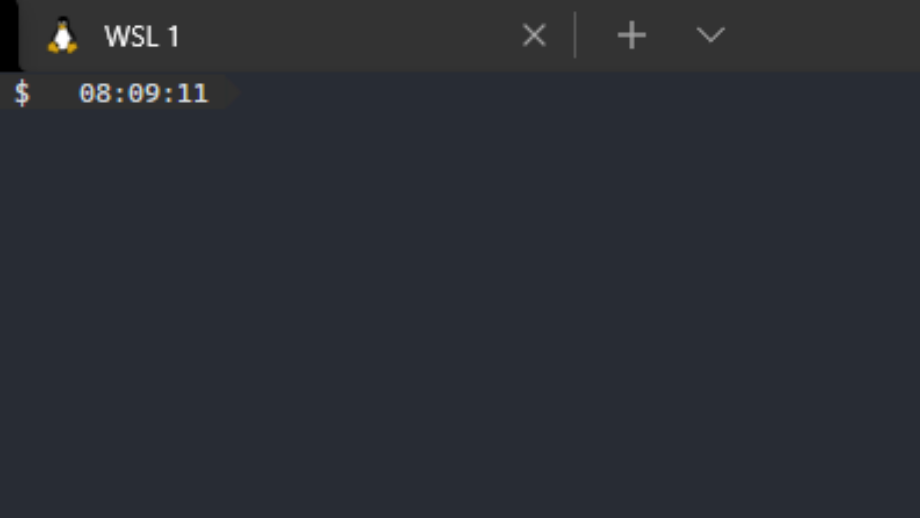
When I hit Ctrl+~ (my preferred keystroke for Quake Mode), I see the following:

From here I can add new tabs with the “+” or use the down-arrow to choose a new terminal.

With this approach, I get the best of both worlds. I get the speed and polish of Windows Terminal, with the convenience of Quake Mode thanks to ConEmu. All of this means that a Windows machine is just as powerful, if not more powerful, than macOS with respect to having a “real” terminal.

On Engineer Autonomy

While autonomy for software engineers often leads to higher productivity and innovation, if left unchecked it can lead to unintended consequences. This post explores how unbridled autonomy can lead to non-ideal outcomes.

From a software engineering perspective, what is autonomy? In a business setting, software engineers are generally required to continually produce value for the company. In this setting, autonomy is extending the ability to make most, if not all, decisions for the development of a product or service to the software engineers. As such, this includes the decision of whether to prioritize producing business value in alignment with the company’s objectives.

As an example, let’s explore the story of Jan, a software engineer for a large Fortune 50 company. Jan is an excellent senior-level engineer – her attention to detail is unmatched and her passion for building cool software unparalleled. She spends much of her free time building software, making electronics projects, and buying more spools of plastic for her 3D printer. She keeps on top of the latest trends and is interested in finding unique ways to solve problems.

Jan brings this passion to work and when she’s assigned a new task to build a simple CRUD application she rolls her eyes a bit. Such a simple application is beneath her, she thinks. A CRUD application will only utilize 0.5% of her wide-ranging skillset; what a drag. However, this CRUD application, as simple as it may seem, is important to the business. It is required to catalog the Widgets in the currently unwieldy Widget Library so that all of the developers in her organization can more effectively perform their jobs.

Now, while this CRUD application is simple, it will need to be maintained over time. Due to its criticality as a business resource, it will need full observability, support, and maintenance. It will need to be operated and maintained by a small team of developers with varying levels of expertise.

The Widget Catalog

So, at its onset, the requirements for the project are straightforward:

  • Must allow for the creation, update, deletion, and retrieval of Widget taxonomy
  • Must provide an authenticated web-based API
  • Must synchronize with the actual Widget repositories (where the actual Widgets are stored)

With these requirements, Jan is made the technical lead and given autonomy to fulfill the requirements however she sees fit. This comes as a relief to Jan because this is an opportunity for her to exercise some of her new-found interest in functional programming languages. Most of her company is filled with “just get it done” engineers who would default to one of the wildly popular programming languages to “just get it done”. Not Jan, though; not this time.

Given that these requirements really spell out that the Widget Catalog is just a simple aggregator, Jan can spice things up a little bit by building the project with Staircase- a functional-inspired language built on top of the wildly popular Coffee programming language and runtime environment. Some baseline research shows Jan that Staircase is used by less than 1% of her company’s projects and by fewer than a handful of people. In the wild, Staircase sees a proportionate amount of popularity. It is dwarfed by titans like Coffee, Snake, Proceed, and Sea and most other modern programming languages. “Great!”, she thinks, “This will be a great way to introduce my passion for functional languages into the company’s engineering population!”

Because Jan was given autonomy to solve the problem, this is the route she decides to take. As time ticks by, she builds out a simple version of the Widget Catalog backed by Staircase. To keep things extra flexible, Jan even utilizes the “Opaque Box” Data Pattern which will surely delight any future code spelunkers. And with that, it’s time to go to production!

Production, Baby!

Image of a time bomb on dark background. Timer counting. 3d render
It’s just a matter of time..

In order to go to production, and be a truly supportable service, it requires real-time security scanning and static code analysis. The problem? There are no security tools that support Staircase; it’s too niche. Nevertheless, there are some Jan fans in the company that can let this minor “security concern” go unaddressed.

Without the burden of compliance with corporate security policies, Widget Catalog is a “go” for launch. At first it’s a major headache to get teams to adopt it since many people are used to the old way of finding their Widgets via the Widget Library. Through persistence, though, the Widget Catalog replaces existing tooling and other developers are left with little choice.

With great adoption comes the moniker of “success”. Every developer in the company is now using the Widget Catalog Built by Jan™, but as it grows in popularity, it needs more and more maintenance to scale it out and add features that the developers need. Jan builds out a small team to help her – she must settle for junior engineers because there are too few Staircase engineers in the company. That’s not a problem, though, because Jan can train them on the way that she likes to do things. What’s more, the vanilla Staircase just isn’t fun anymore. It’s no more interesting than object-oriented programming was when she first learned it. And, even worse, Staircase isn’t a purely functional programming language. Enforcing concepts like “zero side-effects” becomes difficult given Staircase’s leaky functional abstraction.

As more time passes, the Widget Catalog is shored up with additional software libraries that bring Staircase closer to the mathematical purity found in truly functional languages like Curry. The entire team talks in terms of monoids and functors as the descent into Category Theory continues. In fact, all new team members are required to read “Practical Category Theory” and university-level mathematics education joins the list of requirements for a position on her team.

Eventually word starts to spread that “nobody understands what Jan’s code does; she must be a genius!”. Jan is feeling accomplished but eventually tires of teaching people how to fix bugs in her code. Jan receives an offer to work for the Machine-Learning-AI-Blockchain-IoT-Cloud Company® and leaves the Widget Catalog behind.

Fallout

photo old ghost gold mining town in the wild west of america
This is fine. Everything is fine.

The Widget Catalog is running fine without Jan. Without her however, most of her team disbands, leaving the company or moving into other positions. The team members, who are intimately familiar with “the way Jan did things”, are shocked that there’s a larger world of problem solving. The community support for more mainstream programming languages is vibrant and makes producing value orders of magnitude easier.

Jan’s teammates also find that it’s much easier to grow their new teams when there isn’t a requirement for a mathematics degree and when the pool of candidates is larger than “a few dozen, total”. They can effortlessly grow and scale their teams. Everyone they hire brings different sets of experience, which strengthen the team. Gone are the days of “undoing all of that OOP knowledge” (as Jan would often phrase it). Gone, too, are the days of doing everything the “Jan Way” – everyone can contribute, and the diversity of thought and expression is a welcome alternative.

The Widget Catalog languishes in a stable state. The code works and there are very few, if any, outages. But the growth in features that the Widget Catalog once saw slows to a halt. The organization that is responsible for the Widget Catalog must now find someone to fill Jan’s shoes. They post job openings for a Staircase developer, but they are too few and far between. Even folks that do have Staircase experience, don’t really know what to do with the amalgam of libraries that Jan put together to make Staircase “even more mathematically pure”.

Teams that rely on the Widget Catalog start to look for other options since it seems that the Widget Catalog is not being actively maintained. A significant migration effort is planned to move everyone to another offering. The Widget Catalog, once a functional beacon in dark object-oriented sky, withers on the vine and dies. With it, so too does Jan’s legacy.

Trust, But Verify

Maybe Jan’s story resonates with you. Maybe you are like Jan. That’s okay – the world is full of curious people and curiosity often leads to innovation. However, like many things outside of computer hardware, most decisions are not binary. Most decisions should not be made in a vacuum, devoid of context. Most decisions should be accompanied by due diligence to ensure the long-term success of whatever that decision yields.

So, while the Widget Catalog eventually faded away, there were a lot of lessons to be learned. First, when building software as part of a team that is tasked with producing value for their employer, it is not necessarily about what is “most fun” or “most interesting” for the people building it; it’s about producing said value. Further, the value produced isn’t limited to usage of the software; it includes the ability to maintain the software, build a team around it, scale that team, and solicit new ideas and larger participation.

Further, many technology companies have “Inner Source”, a kind of company-specific Open Source. Like Open Source, Inner Source leverages the collective experience of a multitude of contributors. By choosing a niche language, these contributions are limited to only those who were willing to try to to decipher the hieroglyphic-nature of the code, or those who were intimately family with the language

In the long term, having unbridled and unchecked autonomy may produce artifacts that are the antithesis of innovation and collaboration. Should engineers be curious? Absolutely. Should they experiment with new technologies? All of the time! Should they be eager to share their enthusiasm for a particular approach? Definitely! Should they do all of these things without analysis of potential long term consequences? No.

Autonomy simply provides engineers with flexibility to choose and use the tools that best suit a given application. However, autonomy is not freedom from oversight and it is not freedom from consequences. Autonomy should always be coupled with peer review because, as the saying goes: “trust, but verify”.

Communication

For an engineer, the sharing of thoughts and ideas can be more important than the implementation. By sharing thoughts and ideas in a coherent manner, you are able to solicit feedback and harness the collective wisdom of a wide variety of people with vastly different experiences and background.

Collecting rich and thoughtful feedback starts with concisely presenting your ideas in an appropriate medium for your audience. Having a wide selection of tools in your toolbox for maximizing your expressiveness helps to greatly increase your chance of engaging your audience. A highly engaged audience is more apt to provide feedback because, at very least, they were paying attention.

Learning Style Myths

We’ve likely all heard that there are various learning styles. The claim I hear most often is that folks are “visual learners”. It is the general consensus that this is nonsense. There may be preferences in how information is presented, but that does not make any one “style” more effective than another.

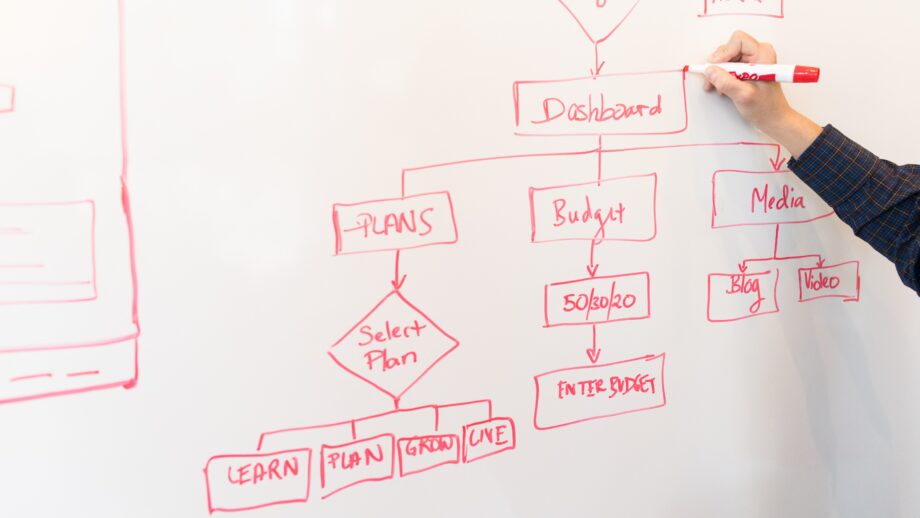
In my experience, it’s always helpful to provide visual aids. Visual aids can help take an abstract idea and make it a bit more concrete. In some cases, it would simply take too many words to describe a system that could otherwise be presented as a simple diagram. I don’t think this is about learning style, and is instead about the clear and cogent presentation if ideas. That is, if your idea or concept has a lot of interconnected elements, it’s likely going to be helpful to show how those elements are connected. Otherwise, you place the burden of visualization on the audience. They are left to keep a mental map of what you’re explaining.

A good example of this would be directions. That is, directions from some point A to another point B. If the points are close, and the directions are straightfoward, then a simple explanation can work – “you can find your car keys on the kitchen table”. In this case, it’s not necessary, and likely overkill to create a map.

Conversely, if you are giving directions from downtown Chicago to downtown Manhattan, you’re likely going to want to present a visual aid in the form of a map accompanied by a list of steps. Luckily, technology has caught up with our needs in this area, and we have a fully automated, animated, turn-by-turn presentation offered to us through our smartphones and standalone GPS devices (do folks still have standalone GPS devices?).

Everyone is a “Supplemental” Learner

What do I mean by “supplemental” learner? Well, not everyone has the gift of sight. Similarly, not everyone has the gift of hearing. There are folks who want to consume your content that may be different from you. The best thing that you can do is concisely describe your thoughts and ideas with as many supplemental artifacts as are warranted to fully express yourself, and to the extent required for your audience to understand.

In my experience, this means that you should consider multiple media for presenting your ideas. Seldom is a single medium enough. A long, wordy document can be greatly enhanced with some visuals. Similarly, a single visual usually cannot stand on its own – it requires some text to help explain the context.

The bottom line is that the more ways you can present your thoughts and ideas, the more likely you will be to engage your audience and solicit feedback.

Tools of the Trade

A workbench with tools

Here are some of the tools that I use in order to maximize how effectively I can communicate:

Diagramming
  • Lucidchart – provides an excellent diagramming experience
  • Diagrams.net – allows you to create diagrams as PNGs that can be edited again. This is great for images being checked into source control. You can also copy from Lucidchart and paste into Diagrams.net
Screen Capture / Annotation
Image Manipulation
  • Adobe Photoshop – the undisputed king of image editing. Great for compositing images
  • Paint.net – a very capable alternative to Photoshop, albeit not as full-featured
Video Editing
  • Adobe Premiere – a great video editing platform. There are tons of free alternatives, but I personally prefer Premiere
  • Adobe After Effects – great for motion graphics, callouts, and other fancy enhancements that can really elevate a video (see Prezi below for an alternative)
  • Kdenlive – an open source alternative to Premiere
Presentation
  • Microsoft Powerpoint – this is pretty standard fare. You should get good at using Powerpoint, but please, don’t just read your slides.
  • Prezi – this could also fall under the Video Editing heading. Prezi allows you to create more complex animations for truly engaging presentations. It even supports video overlay, so you can have motion graphics without After Effects!

Workbench photo by cottonbro from Pexels
Cover photo by Christina Morillo from Pexels

The “Opaque Box” Data Pattern

The “Opaque Box” Data pattern is an anti-pattern. It’s an anti-pattern that I have seen time and time again throughout my 25+ year career.

This anti-pattern starts with a highly optimized data querying and storage facility – this could be a relational database, or something schemaless; it doesn’t matter. From there, the immense complexity, years of software evolution, and the remarkable flexibility of that datastore are ignored and the pattern effectively says, “nah, I’m good”, and it takes the important bits of the data, encodes it in an opaque binary structure, and unceremoniously shoves it into the data store.

A gif of a car in a crash test slamming into a barrier and being destroyed in the process
Here we see someone trying to query a datastore where the important bits are in a binary blob.

In my experience, this pattern is usually employed by folks that just learned about structured data transport formats like Protocol Buffers, Thrift, or Avro. Now, these formats aren’t inherently bad; they’re wonderful for communicating across services, either directly or via a message queue. They can even be useful in databases under the right circumstances (primarily starting with choosing to store them in their respective JSON formats).

If, however, you look at these formats and think, “wow, look at how small the data is when it’s encoded as binary”. You’re on the right track… for data transfer purposes. If you think the same thing, then take that opaque, binary-encoded blob and shove it into a database where you might want to query for the data, you need to take a step back and reevaluate your architecture. This is the equivalent of filling your pantry with all kinds of boxes and cans of food, then painting all of the boxes and cans the same color so you have to open each one to find out which one contains the Cheerios that you’re looking for.

Three nondescript cans, all black
You you can see a can of paint, a can of motor oil, and a can of soup. Choose wisely.

I have seen this anti-pattern employed on more than one occasion. In a recent example, the data stored in the binary blob had a strict schema which required migration if any changes were made. A migration of tens of millions of records. You know what’s really good at storing data with strict schemas? A relational database. Want some flexibility in stored data to avoid constant migrations? Maybe consider a schemaless database like CouchDB or MongoDB.

The reality is that sometimes engineers want to build complex solutions to solve simple problems. However, it’s been my experience that engineers should always, without exception, be looking to solve any problem with the most simple, straightforward approach that meets the requirements and delivers business value.

Being pragmatic includes thinking about the long term consequences of your decisions. Don’t be the engineer that paints all of the boxes and cans the same color.


Cover photo by Ryanniel Masucol from Pexels

The Experience Portfolio

This is a story about success. This is a story about failure.

You see, I’ve always felt that even in failure (especially in failure?) you gain a monumental amount of insight, data, and above all, experience. It’s through this experience that, from the ashes of failure, success is born.

Experience is what you get when you didn’t get what you wanted.

Randy Pausch

This story is about the experience on the ground floor of a tech startup. A tech startup that was founded by capable and talented people, but one that also failed to see any real financial success. For the sake of this post, they’ll call this startup “Unicorn” (any relation to a real company is purely coincidental).

Recipe for Success

Unicorn was founded by a few folks that had seen a startup exit strategy succeed. Flush with money from the previous venture, Unicorn was bootstrapped by the founders. They recruited engineers that helped make that previous venture successful and set out to build The Next Big Thing™.

Given the success of the previous venture (as measured by it being acquired by a larger company), the founders were certain that they had a recipe for success. They had themselves, the original founders of the acquired company, and the original engineers! What’s more, they had funding – unlike the first time around.

With these critical resources, Unicorn laid out a product vision: create a product that allows anyone to create Widgets – not just Widget Engineers. It would revolutionize the Widget industry with one simple question: “What if anyone could create Widgets?”

The idea was compelling – what if they really could democratize Widget creation? What if they could lower the barrier of entry and enforce best-practices for Widget creation? Certainly, anyone with a brain would see the value of this; Widgets are everywhere!

Widget Studio 1.0

Armed with a product vision and the required capital, they set out to create Widget Studio. It would be a graphical Windows desktop application with drag-and-drop Widget composition. They worked tirelessly to build complex Widget composition screens while trying to focus on creating an Alpha Widget. The Alpha Widget would be the first Widget that Widget Studio could create.

They had Business Analysts (BAs) who were intimately familiar with using Alpha Widgets. Surely if you’ve used an Alpha Widget, you should be able build one. They worked closely with the BAs to reduce friction in the Alpha Widget creation.

As time progressed, the complexity of the Alpha Widget began to emerge. There were hundreds of sub-Widgets that needed to be glued together. They needed to introduce the concept of Widget Libraries to house all these sub-Widgets. The complexity continued to increase. They soon realized they needed to manage different versions of Widgets and support concurrent Widget-builders. They needed to streamline the creation of the Widget based on the Widget Studio design. Where do they store Widgets once created? How do people access their Widgets?

Undeterred, the engineers moved forward and created clever abstractions over the Widget creation process. The abstractions were a bit leaky; you needed to understand version control and component libraries, but it was still manageable. They were getting close to having a very basic Alpha Widget.

The Runway

Aircraft on a runway

Getting to the point that they had a very basic Alpha Widget took much longer than they expected. There was an expectation that creating a complex desktop application (which nobody had ever done before) would be secondary to solving the problems of the Widget domain.

Having bootstrapped the company, the founders were, counter-intuitively, not apt to be conservative in their spending. There were more C-Level executives than engineers in the early days – and they were earning C-Level salaries. Blinded by their past success, the founders assumed throwing money at a product would get it to market faster. Additionally, they failed to consider what a Minimum Viable Product (MVP) should look like; or, at least, made the MVP scope way too large. They failed to follow an evolutionary process – get something out the door, then iterate. They made tons of rookie mistakes.

Having underestimated the effort and the cost, they realized that they were running out of runway. What once was a group of passionate engineers focused about bringing Widget creation to the masses, soon devolved into a toxic social experiment. There was finger-pointing and accusations of people “not working hard enough”. There was mandatory unpaid overtime. There was a transition from strategy to panic.

Sand Hill Road

What do you do when you’re running out of runway? Try to build more runway, of course! Instead of working to understand their product, the market fit, or in any other way solicit honest feedback, they took a trip down Sand Hill Road.

For the uninitiated, Sand Hill Road is a road in Silicon Valley which is rich with Venture Capitalists (VCs). Obviously, if they were going to build more runway, they just needed a cash infusion. Further, their confidence in their product was so high that that they were certain there was no way that any VC could say “no”.

Well, what they found out is that if you build a product and haven’t actually tested the market, it’s kind of hard to get VCs to back you with their money. Why would they? You didn’t perform the bare minimum of due diligence to determine whether your product could be a success; why would they trust you with their money?

After metaphorically knocking on every door on Sand Hill Road, they were at a dead end. No money. No runway. No options.

What followed was more in-fighting and finger-pointing. The intense workload of trying to get a product off the ground combined with being met with continued disinterest from the VCs had taken its toll.

Because it was clear that the ship was sinking engineers and BAs started to leave. Those who remained tried every possible avenue for capital infusion. But, as time ticked by and payroll had to be made, it became clear that the runway was ending, and the plane was going to crash.

Ultimately, the plane did crash and what was once Unicorn, the starry-eyed startup with ambitious goals, became a toxic, burning, husk of a company.

From the Ashes

A lot of time and energy went into building Widget Studio. Many sleepless nights, many twelve- to sixteen-hour days, and a heaping helping of stress; all for what? To build a product that nobody will ever use? That’s a fate worse than death for most engineers.

While the product was a failure and the company ultimately dissolved, it was not a failure. Sure, the product may have been a failure, but the experience was not.

When you spend so much time building something, it’s easy to get blinded by what might be. It’s easy to convince yourself that you’re the next Google. It’s easy for people to see your product and say that it’s the greatest thing they’ve ever seen (if they don’t have to back up the sentiment with money).

All of the trials and tribulations lead to a deep-seated knowledge of what not to do. The Unicorn team learned some tough, but very valuable lessons about due diligence, product market fit, project and budget planning, and a whole lot more.

You see, every time you stumble, you learn how to avoid the same mistake in the future. It’s this process which builds your experience portfolio and informs your future decisions.

While not every venture will be a success, it’s important to learn from your failures. If you do that, you will never truly fail.


Cover Photo by Filipe Delgado from Pexels
Runway Photo by Maria Tyutina from Pexels

Git Signed Commits in Windows and WSL

Developing on Windows 10 has been a joy since the release of Windows Subsystem for Linux (WSL), however straddling the line between Windows and Linux can sometimes cause friction.

With the steps outlined below we can resolve the No secret key error that can sometimes pop up while signing commits from Windows while also having GPG setup with a passphrase (which would be silly not to have, right??) in WSL.

My setup is as follows:

  • Windows 10
  • WSL v1
  • Git 2.28
  • GPG 2.2.21 with a key that has a passphrase
  • IntelliJ IDEA (but this probably applies to other Windows IDEs)

The Error

When I’m working from my WSL console, I can easily create signed commits. My keys are stored in ~/.gnupg and everything works a treat. However, when I try to create a signed commit from IntelliJ in Windows, I get the following message:

Commit failed with error
	gpg: signing failed: No secret key
	gpg: signing failed: No secret key
	gpg failed to sign the data
	failed to write commit object

When performing the same commit via the WSL console, I would get a passphrase prompt, and the commit would succeed if I enter the correct passphrase:

I didn’t get a similar prompt in IntelliJ, so it became clear that I needed a Windows option for entering my passphrase. I already had gpg installed for Windows, but it was command line driven and I suspect there’s not a straightforward way to communicate to IntelliJ that a passphrase is required. I also didn’t want to wrap gpg and store my passphrase in cleartext (because that’s like a security mullet – vault door in the front; screen door in the back).

The Fix

The quickest, most secure, way to get this working would be to install Gpg4win and import my gpg keys from WSL. So, to do this, the first task is to export my keys so they can be imported. From WSL I just drop them on my desktop:

gpg -a --export-secret-keys > /c/Users/emerle/Desktop/gpgkeys.asc

Once this is done, you can import these into the Kleopatra application that comes with Gpg4win. Be sure to permanently delete that gpgkeys.asc file – it has your private key(s) in it! Once you finish the import into Kleopatra, you’ll have something like this (but less blurry)

Now, the only thing left to do is tell git to use Gpg4win. From the Windows version of git, you set the gpg.program

git config --global gpg.program "C:\Program Files (x86)\GnuPG\bin\gpg.exe"

Now when IntelliJ uses the Windows version git to perform the commit, it will use the defined gpg.program. In this case, we should see our passphrase prompt when we try to commit:

Because you added this setting to your Windows git configuration, this shouldn’t interfere with your WSL configuration. Now you can seamlessly commit from either Windows or WSL with a GPG signature!

Happy developing!

Evolution

There’s this widely accepted theory in science called Evolution (and, no, a scientific theory is not the same as your uncle’s “theory” that chipmunks are stealing his WiFi). The high-level idea behind this scientific theory is that every organism undergoes random mutations. Some of these mutations may be beneficial, detrimental, or immaterial to the survival of the organism. When a mutation is beneficial such that it gives the organism an advantage over others for a shared set of resources, that organism tends to thrive.

We can take this concept of evolution and apply it to software engineering (though on much smaller time scales). To do so, we start with the smallest unit of work that provides tangible value. The Marketing and Product folks like to call this the Minimum Viable Product or Minimum Viable Experience. For the sake of the analogy, we can call this Generation Zero (G0). This is our single-celled organism that’s not capable of much, but it still constitutes “life”.

For G0 to be useful, it must be able to interact with the outside world. See, much like in the classic Evolutionary Theory, we need feedback. Our feedback won’t be life-or-death (although many ideas have died in the zeroth generation); it will be in the form of user feedback. How well did G0 meet our goals? What are the friction points? Are users getting confused and not following our calls to action? We can collect all of these metrics through innumerable mechanisms; the important idea, however, is that we delivered something and we’re gathering feedback.

Armed with this feedback we can now start to imagine what Generation One (G1) is going to look like. We build upon some of the simple ideas required for G0 and extend them in directions that we feel will make the product or service better. This may mean adding extra features or widgets, or creating a basic version of your service as an iOS and/or Android application, or tightening up your deployment strategy, or scaling out in the cloud, or whatever will bring more business value. After all, business value is the one true goal (it’s worth noting the value may not be monetary!).

Great! We now have G1 (our multicellular oganism) and it’s been deployed and we’re collecting feedback. If there were any UI/UX changes, you may get some very loud negative feedback like Snapchat, Twitter, Netflix, Google, Spotify, etc. But feedback, positive or negative, is like gold. This is the equivalent of fitness testing, or “survival of the fittest”; you are seeing whether the “random” mutations were beneficial, detrimental or immaterial.

As you continue through further iterations, you will begin to shape your product or service. Your single-celled organism will evolve, growing more complex with each iteration. As your product or service asymptotically approaches completion, you’ll try new things (mutations) and push them out for feedback (fitness testing) . You will continue to hone the parts that work, and discard the parts that don’t. Eventually, you will end up in one of two places:

  1. You’re at the top of the food chain
  2. You’re eaten by an organism higher on the food chain

Regardless of outcome, in order to fail or succeed, you must first “do”. This sounds vaguely like something Yoda would say, but analysis paralysis is real and can cause you to stand in one place and never make any tangible progress. Get your ideas out into the wild, get feedback, iterate and improve. You may get eaten along the way, but you also may end up at the top of the food chain. Either way, you’ve gained something that nobody can take away from you: experience.

Credits

Evolution logo: Johanna Pung / CC BY-SA

Show Me The Code

The Proof Is in the Pudding

I’ve always hated that expression.  What does that even mean?  The proof of what is in my pudding?  The original expression was more along the lines of “the proof of the pudding is in the tasting/eating”. Idiomatically, we all understand the abbreviated version to mean, “I’ll believe it when I see it” or in general, that the value, effectiveness and even existence of something cannot be validated until it is tested. 

Show Me the Code

In software engineering we have a similar, albeit less abstract, expression: “show me the code”.  I’m sure there are similar expressions in other professions.  I know there was an expression in the movie Goodfellas that was similar in its unapologetic tone (I’ll leave identifying this expression as an exercise for the reader – it’s a great movie anyway). In the software world, however, what we’re trying to express is that an idea, diagram, proof-of-concept, and basically anything that is not actual production code is, well, “worthless”.

Okay, I was being hyperbolic with “worthless”.  There is a ton of value in all the things that I mentioned, but that value doesn’t materialize into business value until those things are expressed as functioning production code. 

Talk is cheap. Show me the code.

Linus Torvalds

Do you have a brilliant idea?  Great; show me the code.  Do you have an academic paper extolling the virtues of some process? Great; show me the code.  Have you put together an architectural diagram?  Great; show me the code.

The 90/90 Rule

The 90/90 rule, is a humorous observation attributed to Tom Cargill of Bell Labs in the 1980s:

The first 90 percent of the code accounts for the first 90 percent of the development time. The remaining 10 percent of the code accounts for the other 90 percent of the development time.

 Tom Cargill, Bell Labs

What I’ve seen time and time again is the most talented engineers are hyper-engaged and focused early in a project, for the “fun stuff”.  This might include playing with a new language, library, or platform.  It might mean spinning up cloud resources and building out a cluster.  It may mean tearing open some hardware and reverse-engineering it.  It may mean working some magic to performance tune some questionable part of the system. In short, it’s stuff that’s new and novel.

You see, engineers get bored easily.  We don’t want to spend time doing the same thing over and over; we need shiny new toys to excite the neurons in our brains.  Because of this, our excitement tends to wane as projects progress.  What was new and exciting becomes boring and stale.

Once the novelty wears off, engineers get an itch to move on to the next shiny new toy.  They don’t want to be tied to some project that’s entering the dreaded “maintenance mode”.  They don’t want to be answering user questions or writing documentation or convincing management that component XYZ needs to be refactored, so development starts to slow as engineers divert their energy to more exciting projects.

Show Me The (Finished) Code

With software, nothing is ever truly done, we just asymptotically approach zero features and defects.  But there is a version of done where we’ve met our business requirements and provided peak business value.  This is just before we reach the zone of diminishing returns.

An image showing the relationship between work, time and business value.
Fig 1 – The relationship between outstanding “work” and business value over time

This is probably best illustrated by the expertly drawn diagram above (Fig 1).  As the amount of “work” to be done (features to be implemented/outstanding defects) decreases, business value (ideally) increases. Eventually, over time, we stop producing additional business value and enter a phase of diminishing returns.  This is oversimplified, but what it is meant to illustrate is that we produce the most business value toward the end when most features are implemented and most defects are resolved.

So, our expression, “show me the code” is imprecise.  Not only do you need to “show me the code” as it is now, you need to show me the plan for how to get to “done”, your plan to get it into production, and your commitment to producing peak business value.  I’m not suggesting that we adopt a new expression with this level of verbosity, we just need to collectively make sure that we agree at what “show me the code” is trying to elicit.

Toward Building Value

Our jobs as engineers is to provide value to the businesses that employ us. We are biological machines that are tuned to take complex, abstract, problems and turn them into delivered products and services. The key word being “delivered”.

While there is value in ideas, proofs-of-concept, research, and experimentation, the “proof of the pudding” is in deploying your software to production and then diligently supporting that software until such a time that your time is better spent elsewhere.